Overview
One place to search, request and review background checks.
Confirmly is a background-verification platform for businesses and organizations. It brings searches, information requests and verification results into one place, helping teams understand what is available, what still needs to be collected and what to do next.
My Role
Mono contracted me to design Confirmly. I worked from the product requirements and aligned with company leadership to shape the business, candidate and referee experiences across onboarding, billing, consent, information collection and reports.
The Problem
Traditional background checks were costing businesses time.
The traditional process often meant searching across different sources, following up with candidates or referees and piecing the findings together manually. It was slow, fragmented and difficult to track, costing businesses time and energy before they could make a decision. The challenge was to bring those steps into one clear digital workflow without losing the context, consent and sensitive information each check required.
The Goal
Make candidate verification faster, clearer and easier to manage.
The goal was to create a better way for businesses to search for existing background information, request new checks and review candidate results in one place, while giving every participant a clear understanding of what was needed next.
How I Kicked Things Off
Starting with the full verification journey.
Using the product requirements and conversations with Mono's leadership, I mapped how businesses, candidates and referees would move through the product. This made the main sources of friction visible: preparing an account, choosing the right type of check, waiting for responses and understanding completed results.
Because the workflows involved personal information, I also considered disclosure, consent and progress before moving into high-fidelity design. The aim was to make each request understandable before asking anyone to provide sensitive details.
The Solution
From first setup to final report.
The solution connected the business and recipient sides of verification through a series of focused, responsive workflows.
Business onboarding
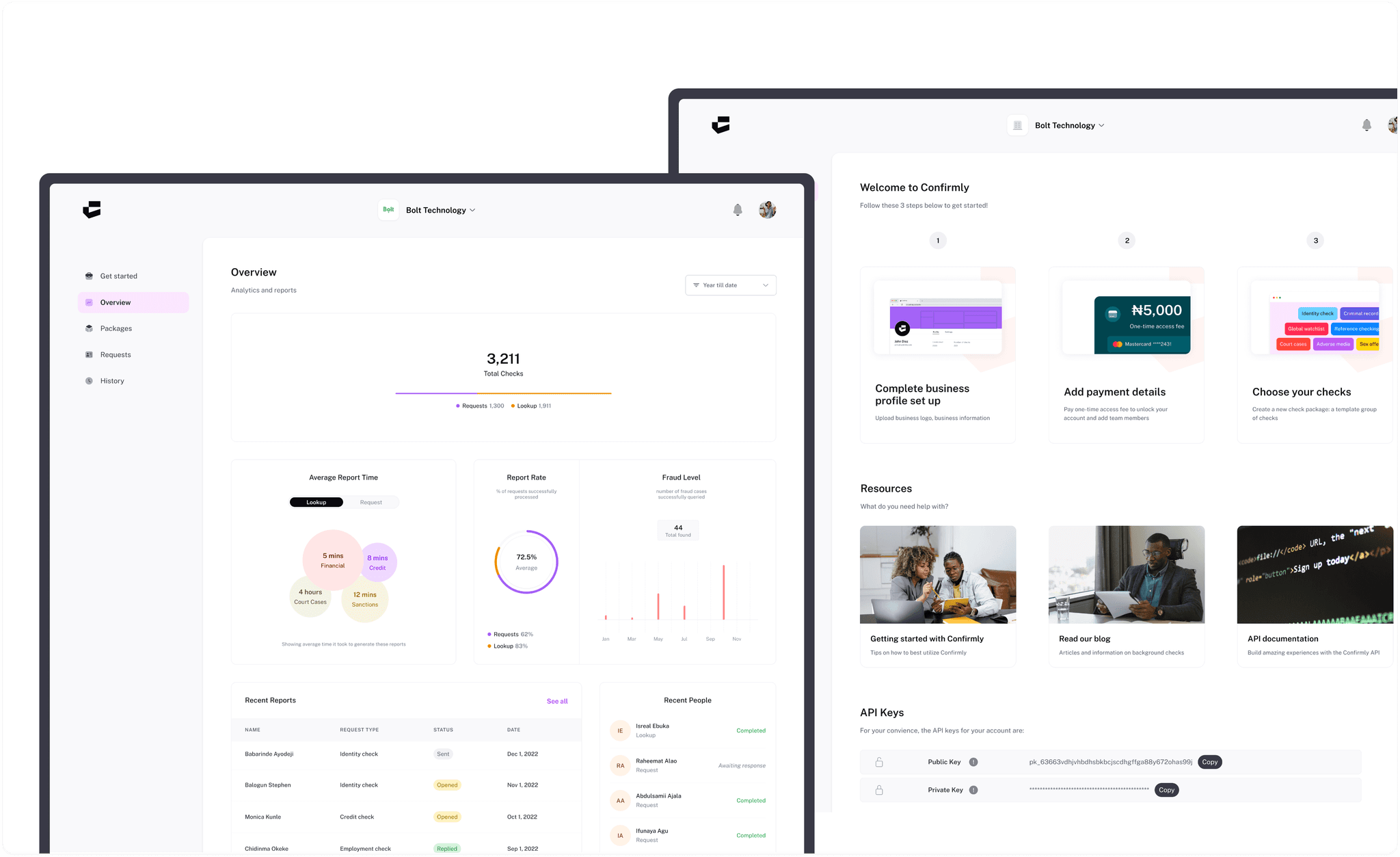
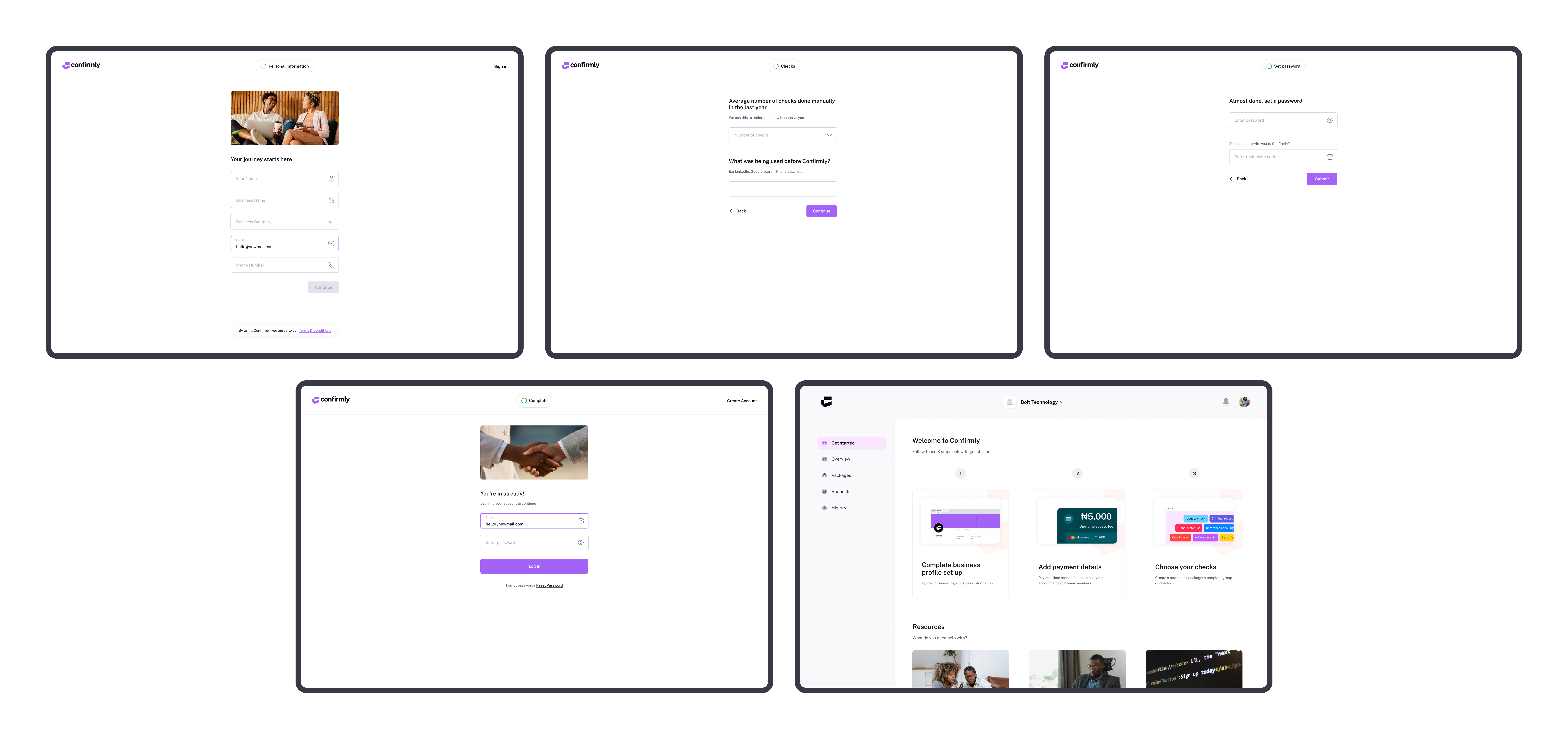
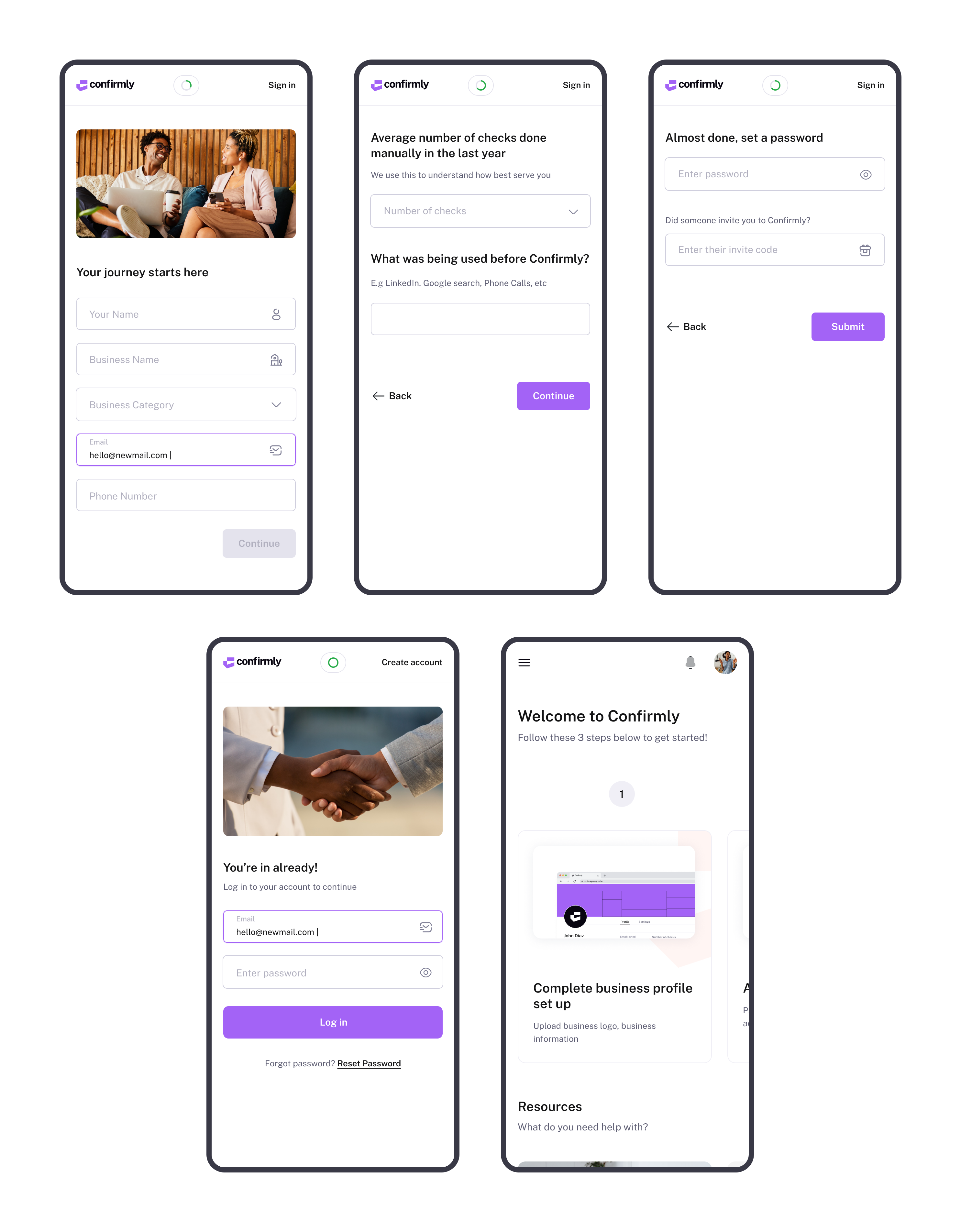
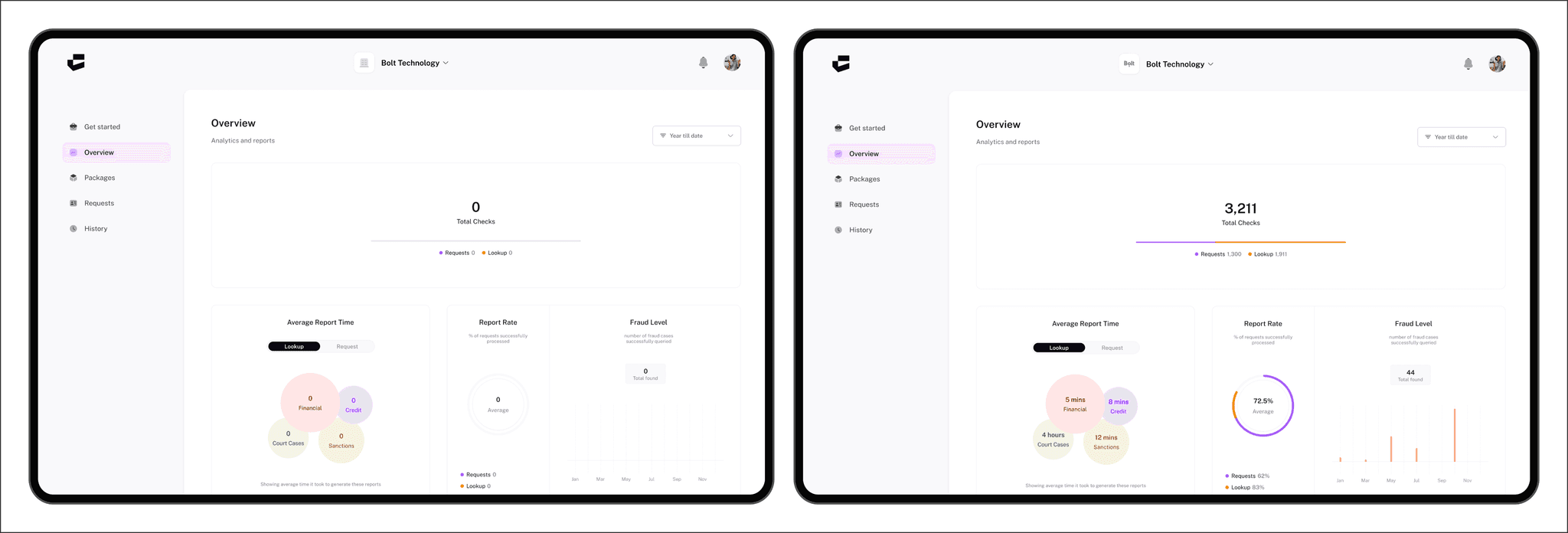
Confirmly begins by collecting essential business details and context about existing verification activity. I divided setup into focused steps, then used the first dashboard state to show what remained: completing the business profile, adding payment details and choosing checks.
Choosing between Lookup and Request
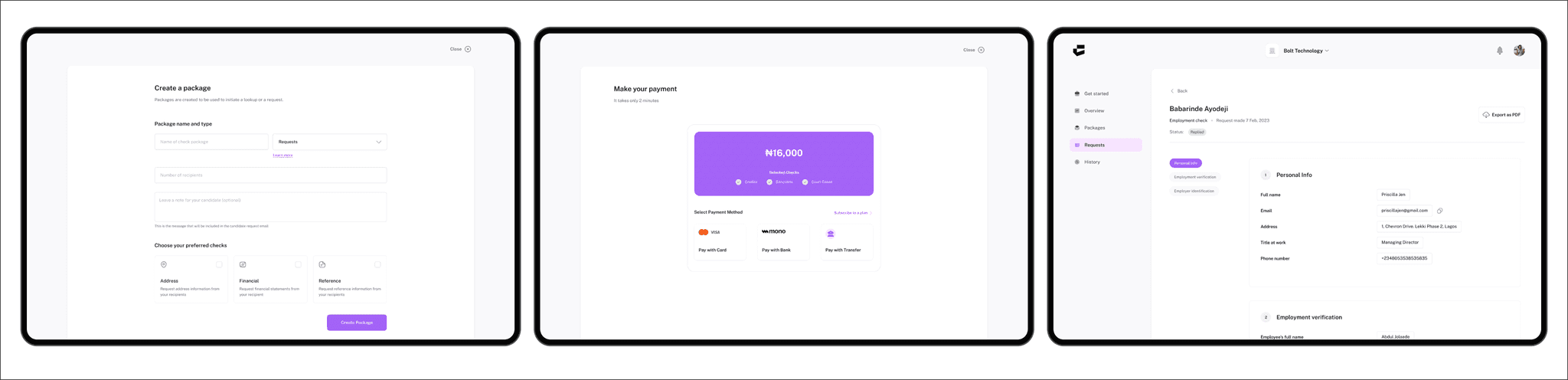
Lookup searches for information that is already available. Request begins a new verification that depends on recipient participation. I separated the two at package setup and carried that distinction through payment, status and reporting so businesses understood which process they were starting.
Tracking checks and next actions
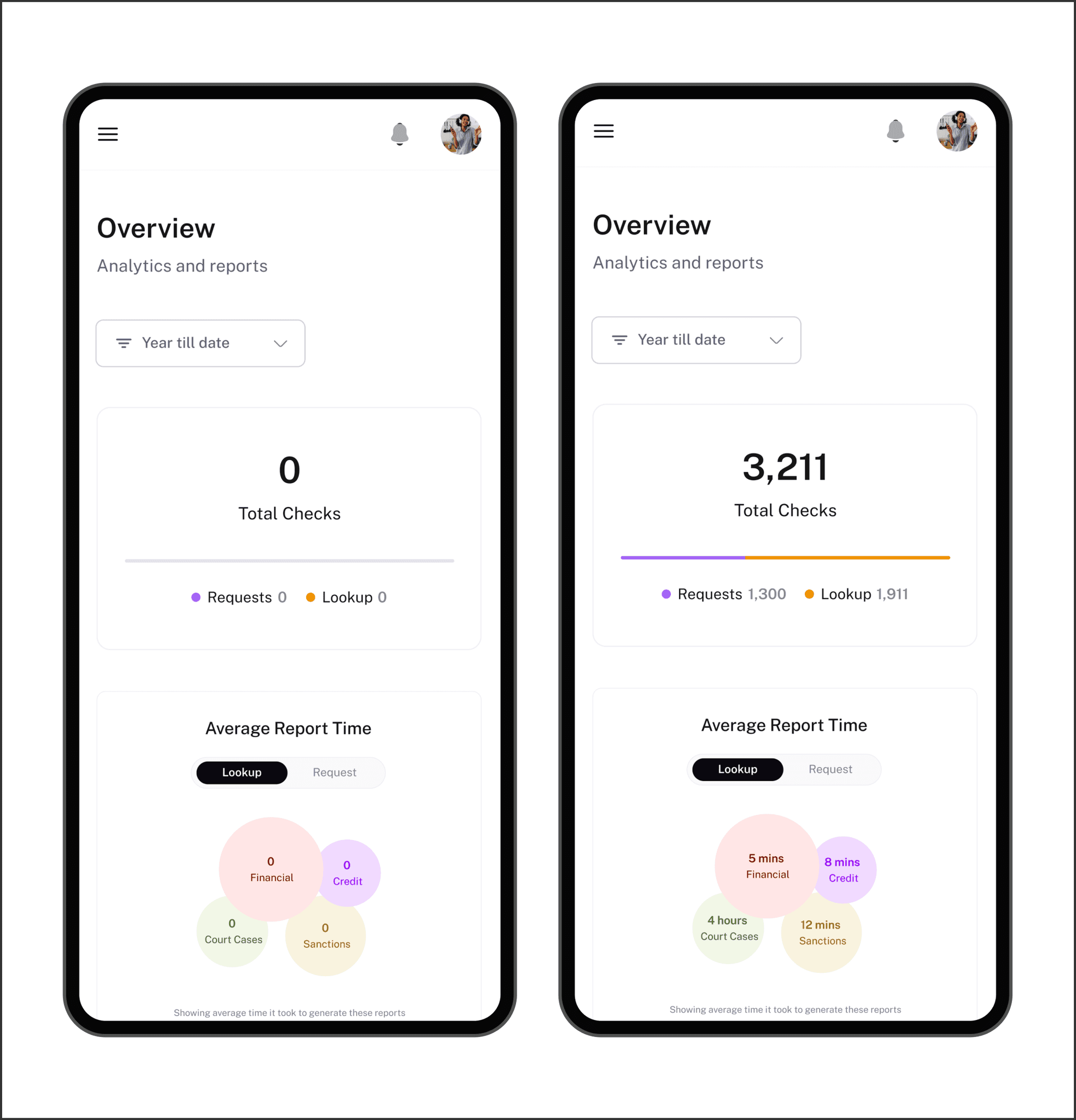
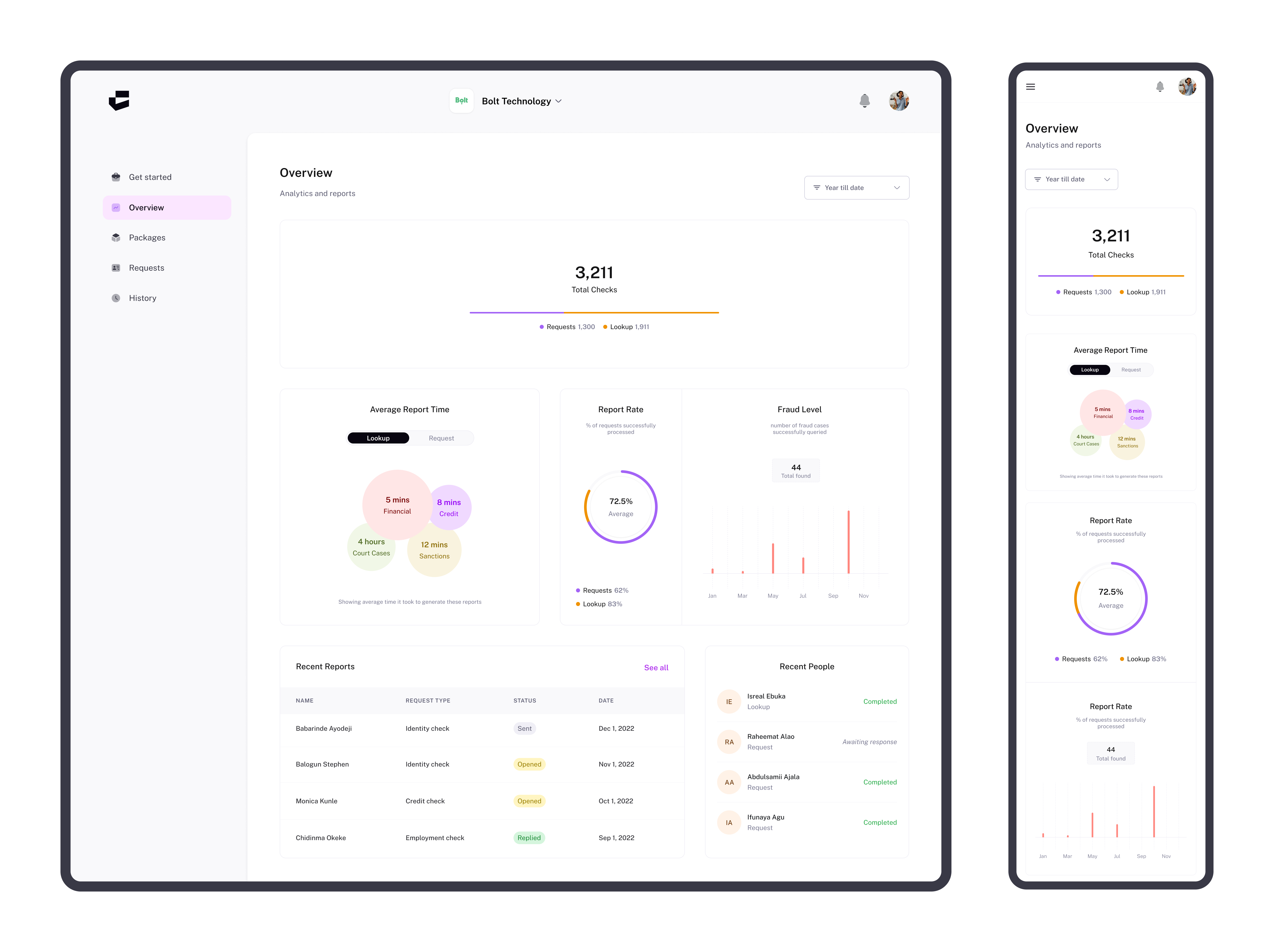
The dashboard combines an overview of verification activity with recent reports and people. Clear status labels such as Sent, Opened, Replied and Expired help teams distinguish completed checks from records that still need attention.
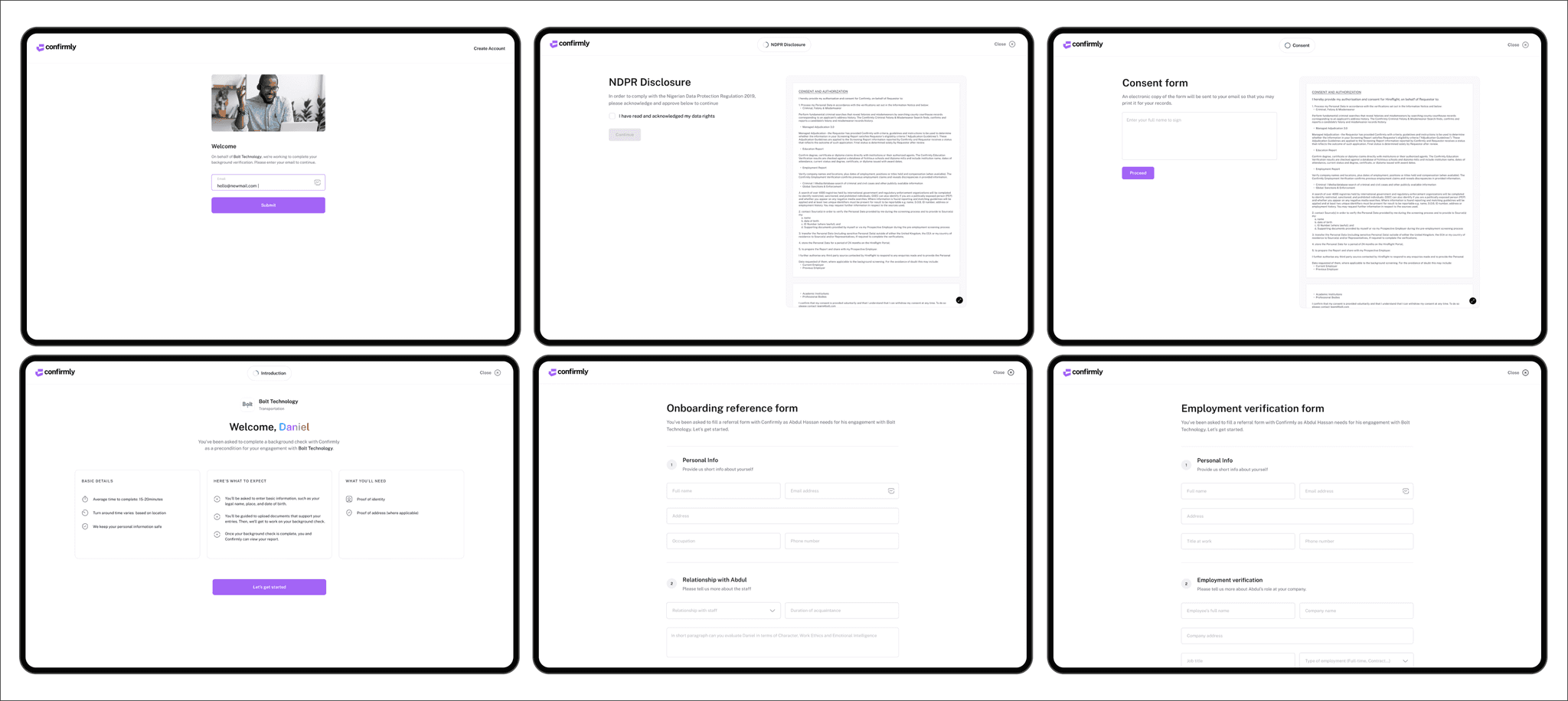
Collecting sensitive information
Recipients first see who requested the check, what information is needed and how the process will work. Disclosure, consent, staged forms and document upload make the purpose and remaining steps visible before and during information collection.
Reports and results
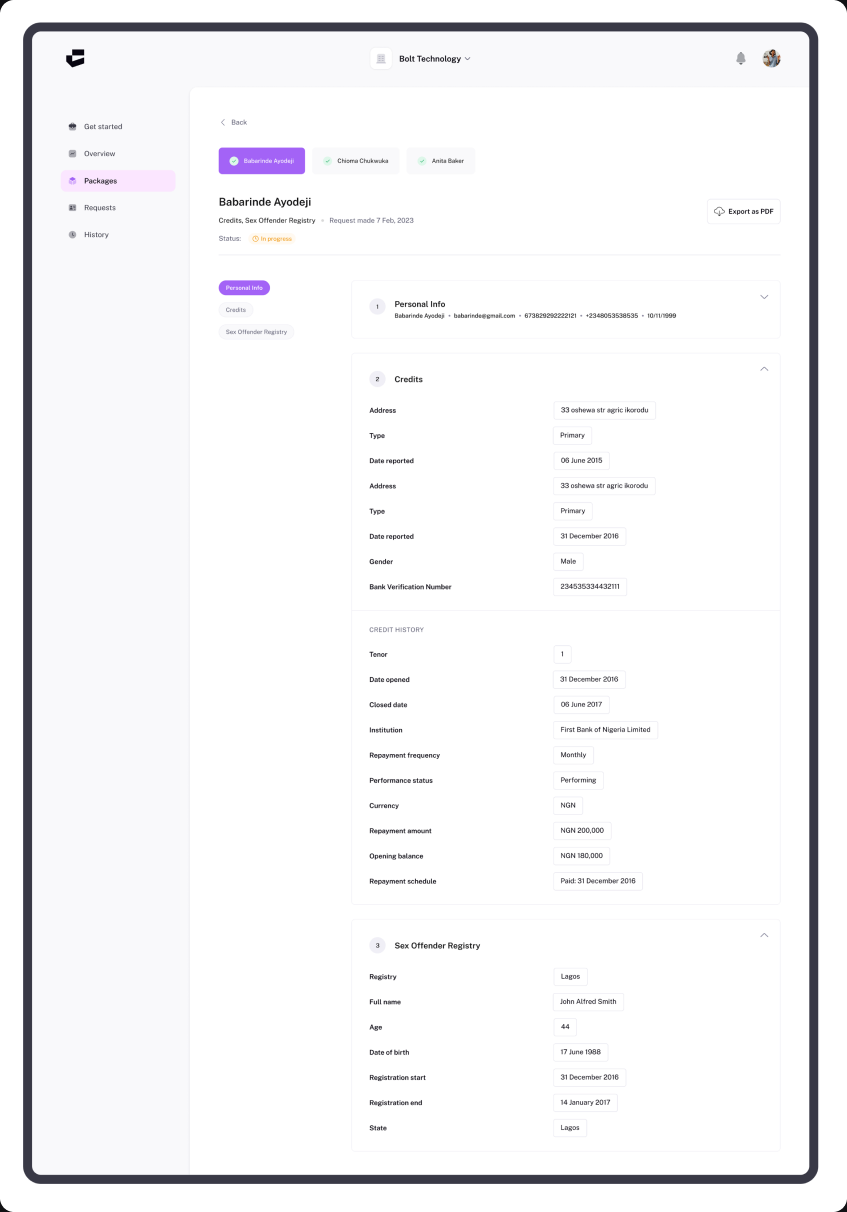
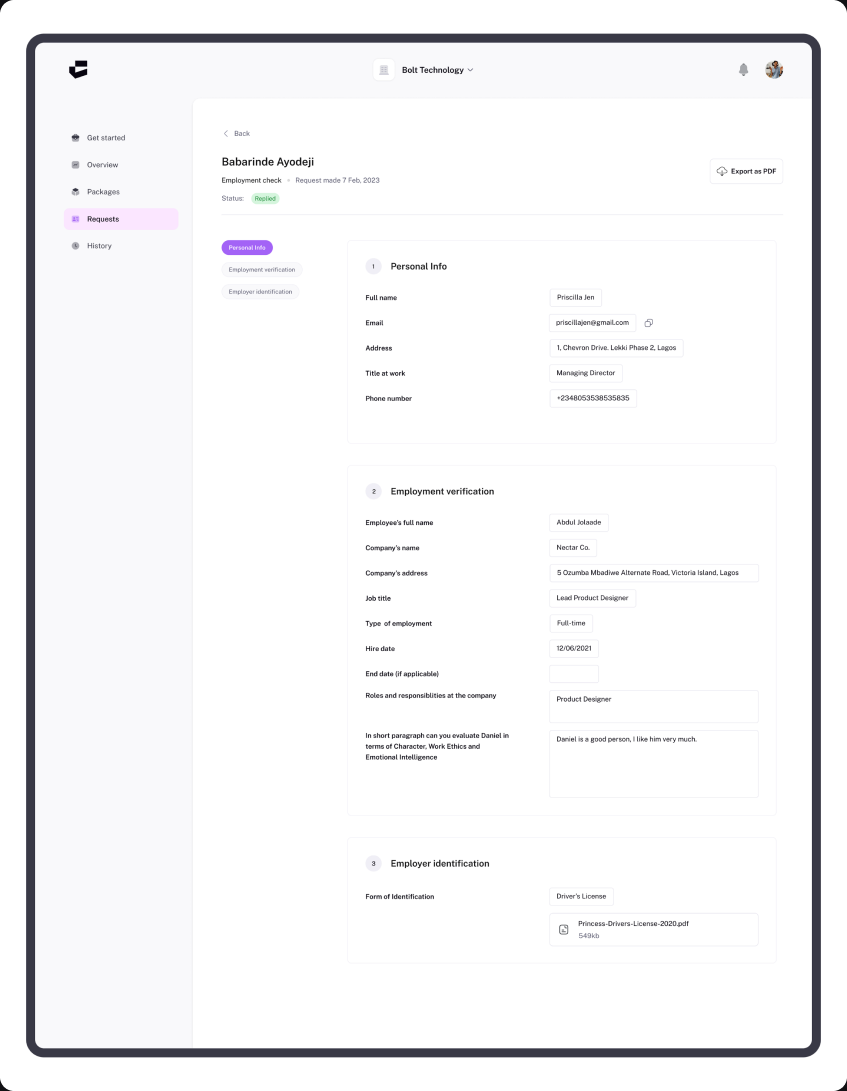
Completed Lookup and Request results are organized into clear sections so businesses can review personal details, verification evidence and supporting documents without moving between disconnected screens. Reports can also be exported when needed.
Outcome
One consistent verification experience.
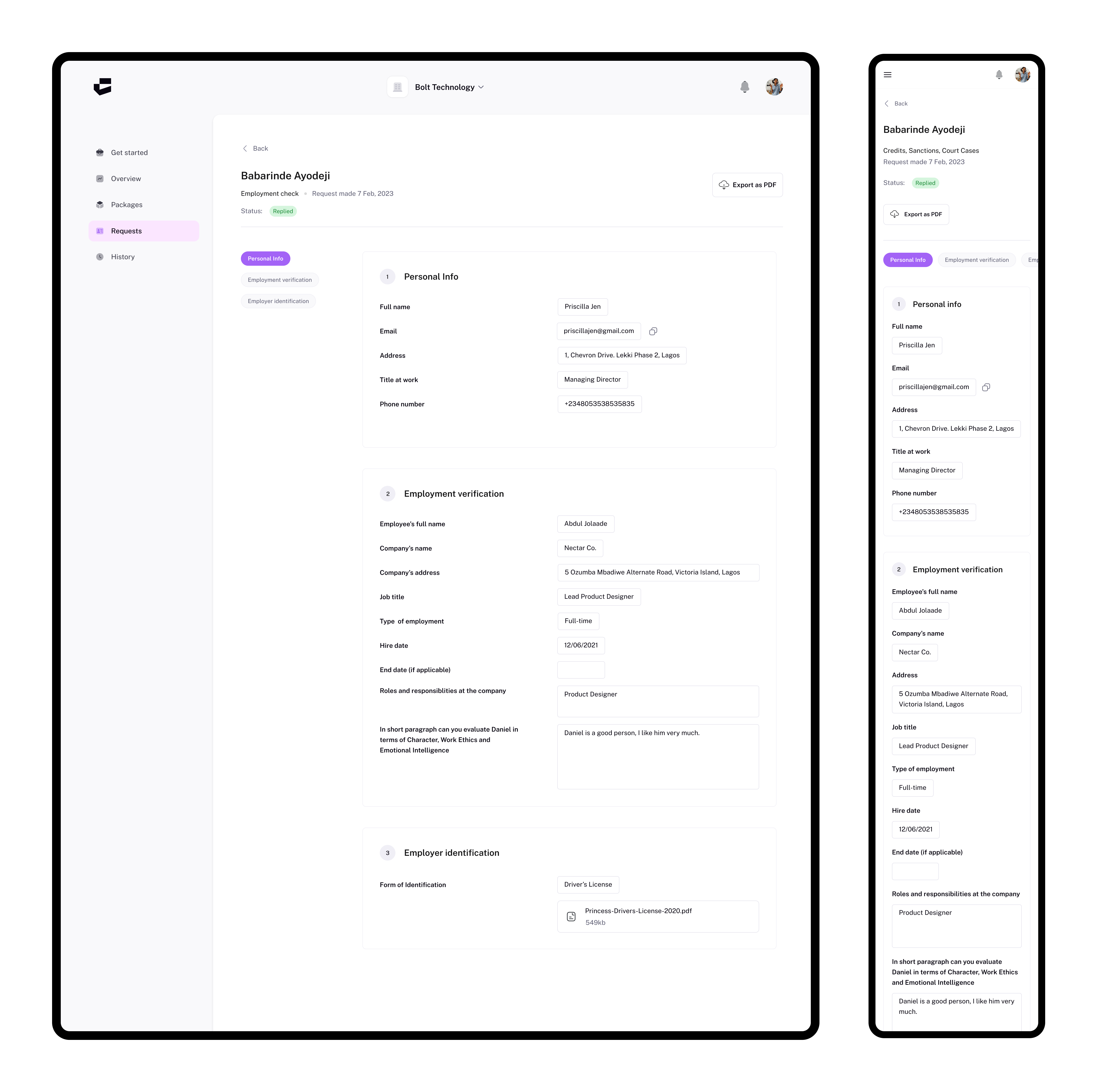
The final high-fidelity design established Confirmly's core workflows across business onboarding, Lookup and Request, status tracking, recipient information collection and structured reports. Together, these screens formed one consistent responsive experience across desktop and mobile.