Overview
One matching model for two different sides of hiring.
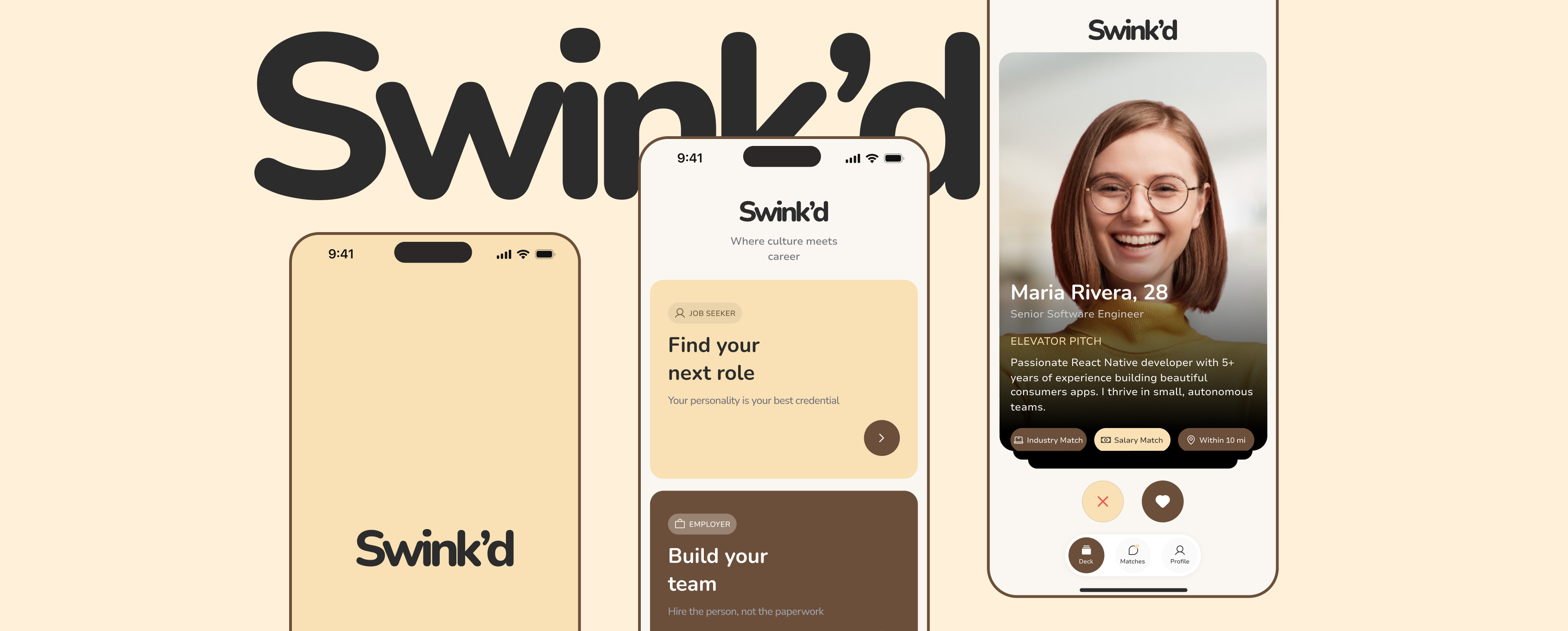
Swink'd is a two-sided job-matching product that connects job seekers and employers through profile-led discovery, mutual interest and direct conversation. Each side follows the same core journey, while the information they create and evaluate changes with their role.
My Role
I designed the mobile experience across role selection, progressive onboarding, professional profiles, card-based discovery, matching, messaging and account controls for job seekers and employers.
The Problem
Fast discovery still needed enough context for a meaningful decision.
Swink'd explores a direct matching model for hiring, but a quick expression of interest only works when both sides can understand what is relevant. Job seekers evaluate companies and opportunities; employers evaluate candidates. The design needed to keep those journeys coherent without presenting the same information to everyone.
The Goal
Make professional discovery feel direct without reducing it to a shallow choice.
The goal was to give candidates and employers a faster, more approachable way to discover one another, while carrying enough role-specific context through onboarding, discovery, matching and conversation for each decision to feel informed.
How I Kicked Things Off
Starting with the shared journey, then defining where each role diverged.
I mapped the product around two primary user types and one shared progression: create a useful profile, evaluate the other side, express interest and begin a conversation after a mutual match.
From there, I organized the information each role needed at the point of discovery. Job seekers establish their experience and work preferences; employers establish their identity, company context and open roles. Reusable navigation, cards and match states keep both paths part of one product.
The Solution
A shared path from intent to conversation.
The final direction uses a consistent interaction model across both sides, with role-specific content appearing where it helps people make and act on a decision.
Starting with the right user journey
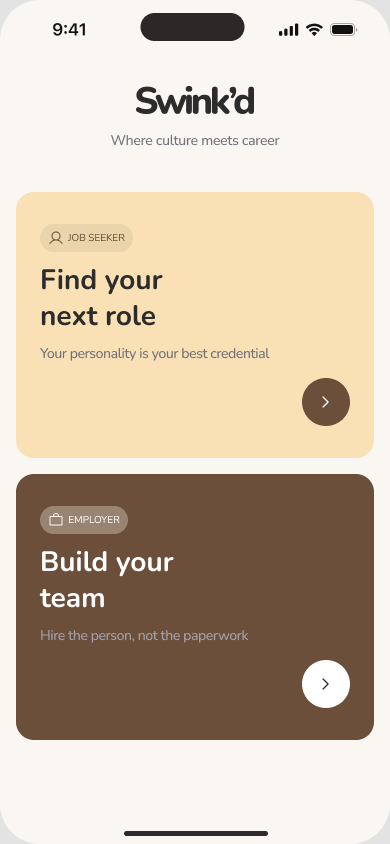
The first product choice separates the job-seeker and employer paths before setup begins. Establishing intent early lets the following questions, profile fields and discovery content adapt to what each side needs to contribute and evaluate.
Building profiles around matching context
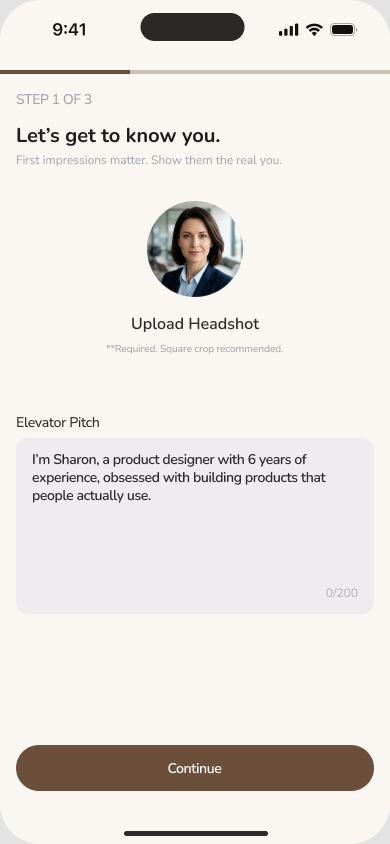
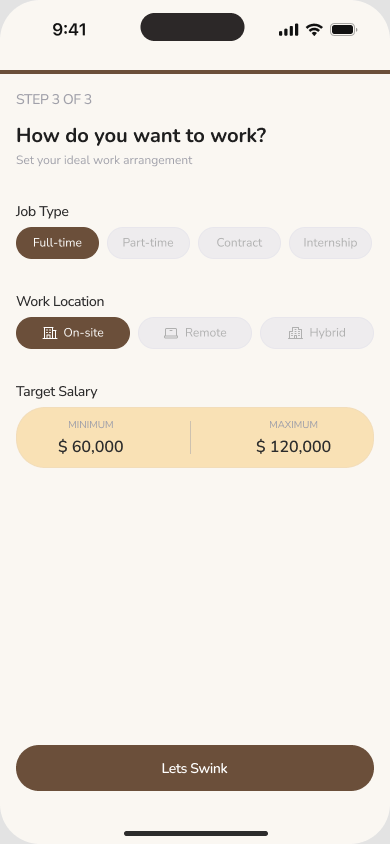
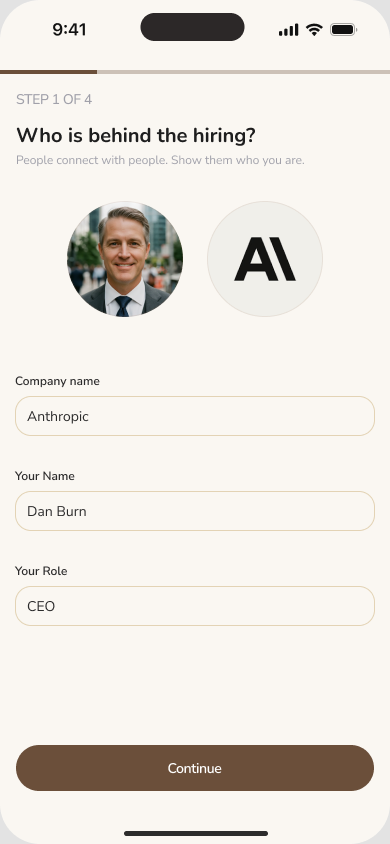
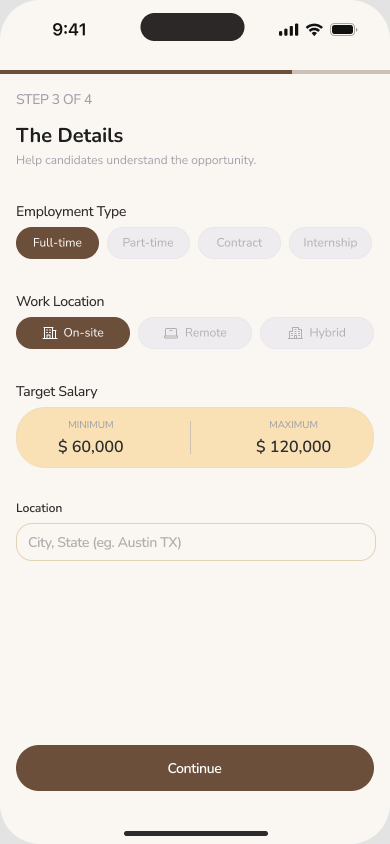
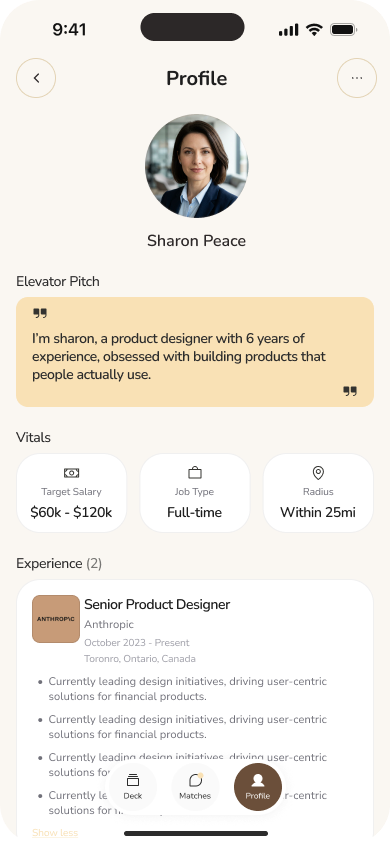
Job-seeker onboarding captures a headshot, elevator pitch, occupation, experience level, work type, location preference and salary range. Employer onboarding combines personal and company identity with the role being filled, its working arrangement, compensation range and company culture. The information collected during setup is designed to become useful in later profile and discovery views.
One discovery model, tailored to each side
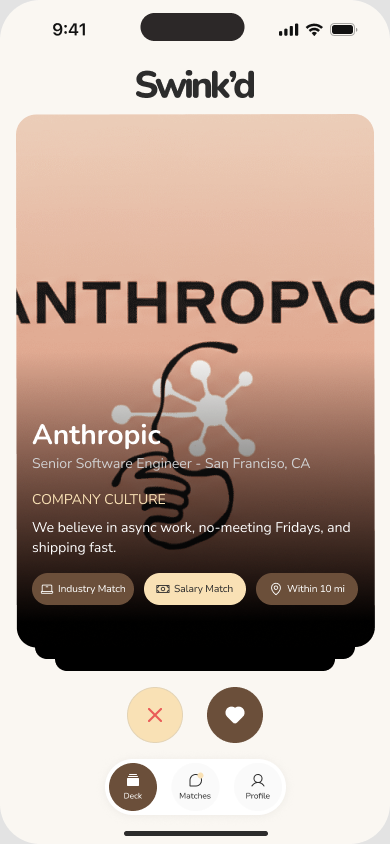
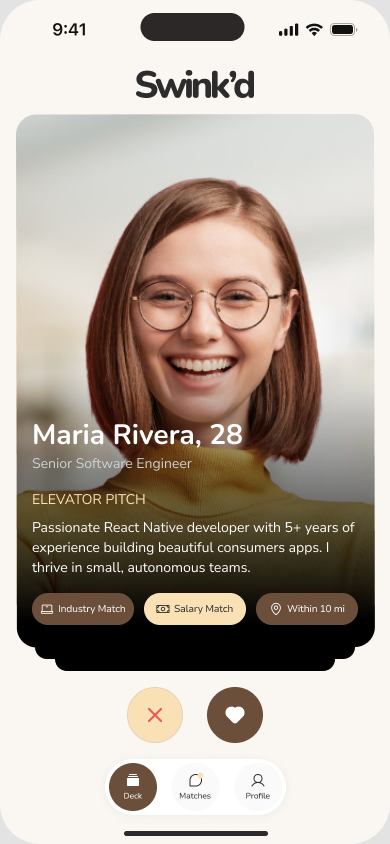
Both roles use the same card-based interaction and positive or negative interest actions. The content changes with the decision: job seekers see company, role and compatibility signals, while employers see a candidate's identity, experience and pitch. The shared pattern keeps the product familiar without flattening the two journeys into one generic profile.
Making mutual interest actionable
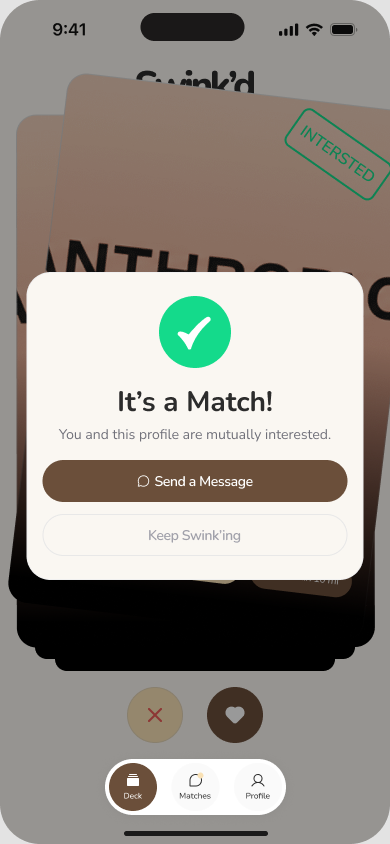
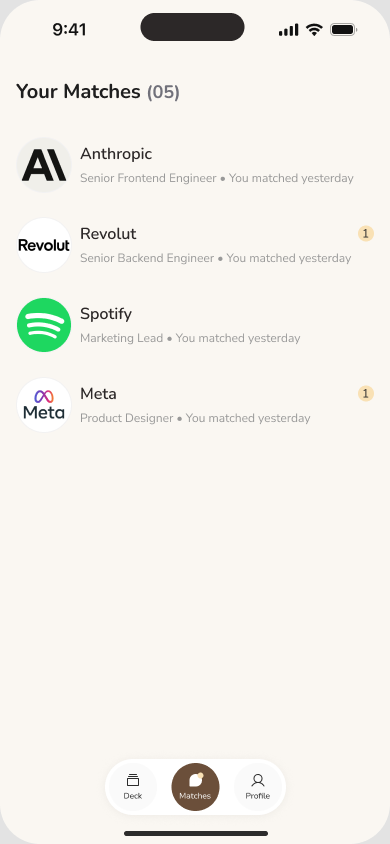
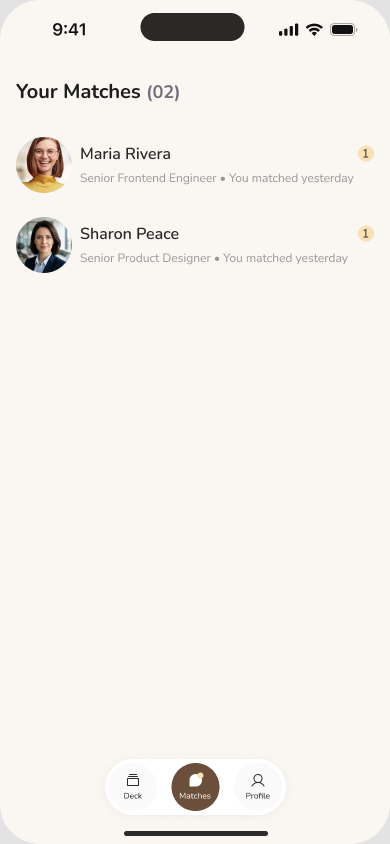
A mutual-interest state gives the match a clear next action: send a message or continue discovering. Separate match lists preserve the context each role needs, including the company and role for job seekers and the candidate identity for employers.
Professional profiles that keep discovery current
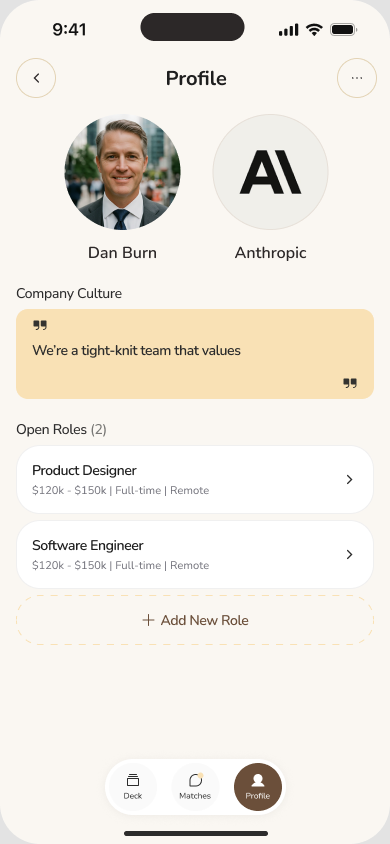
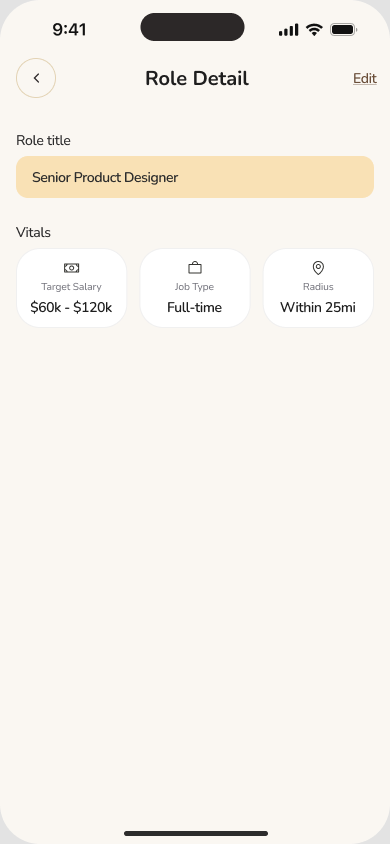
Profiles are working sources of matching context, not static account summaries. Job seekers can maintain their pitch, experience and work preferences. Employers can manage company culture and open roles, then inspect or edit the details behind each opportunity.
Controls around the conversation
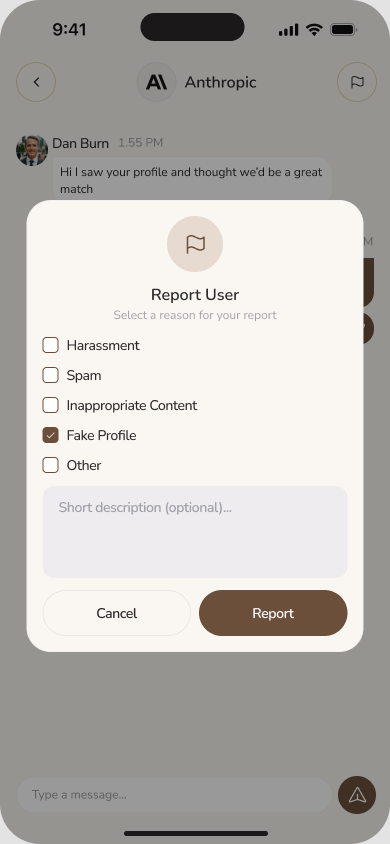
Matches can continue into an in-product conversation, keeping the professional context close to the exchange. Reporting controls give people a way to flag harassment, spam, inappropriate content, fake profiles or another concern, with space to add a description.
Outcome
A defined two-sided mobile experience across the core matching journey.
The final design establishes Swink'd's core product experience across role-specific onboarding, editable profiles, card-based discovery, mutual matching, conversation and reporting for both job seekers and employers.