Overview
Maritime credentials and sea-service history, organized in one mobile wallet.
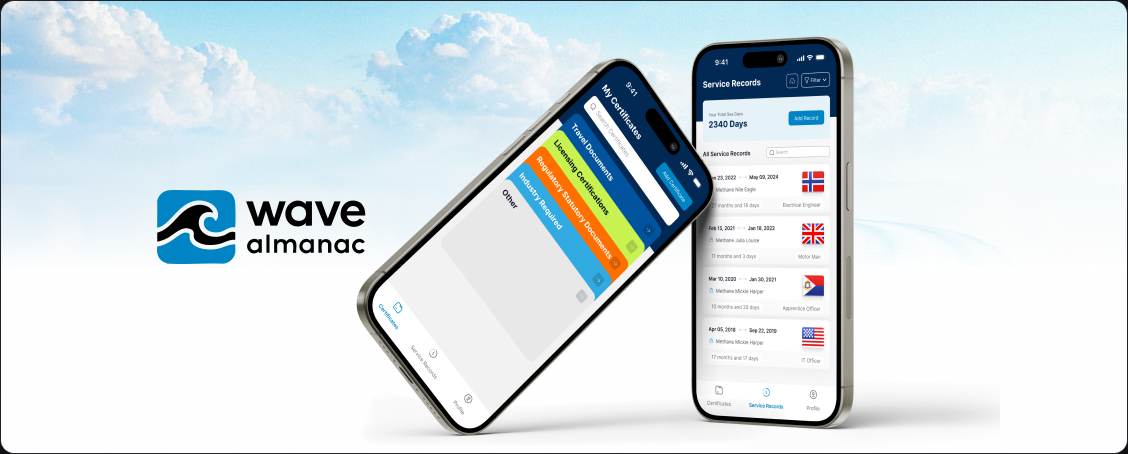
Wave is a mobile professional wallet for seafarers. It brings certificates, maritime rank and vessel information, service records and accumulated sea days into one place, with clear paths to filter and export a professional history.
My Role
I designed the end-to-end mobile experience in Figma, focusing on information architecture, progressive onboarding, complex record-entry forms, retrieval patterns and the UI system that connects them. My contribution was product design only; this case study does not claim development or implementation work.
The Problem
A seafarer’s professional history is detailed by nature.
Ranks, vessel information, service periods and different certificate types all carry their own fields and dates. The design challenge was to preserve that necessary detail without making a mobile record system feel dense, fragmented or difficult to revisit.
The Goal
Make professional records easier to add, review and carry.
The goal was a coherent wallet that helps seafarers establish their professional context, build a sea-service history, organize credentials and find the right record when they need it.
How I Kicked Things Off
Starting with the information model behind the wallet.
I separated the product into the core record types visible in the working designs: rank and vessel context, sea-service records and professional certificates. That structure created a consistent path from setup to entry, review and export.
I then used focused steps, category-led choices and repeatable detail views to keep the experience progressive. Empty, success and progress states were treated as part of the journey so users always have a clear next action.
The Solution
A focused path from setup to a portable professional record.
The final design uses progressive onboarding, structured forms and category-based retrieval to keep detailed maritime information understandable on a small screen.
Establishing professional context one decision at a time
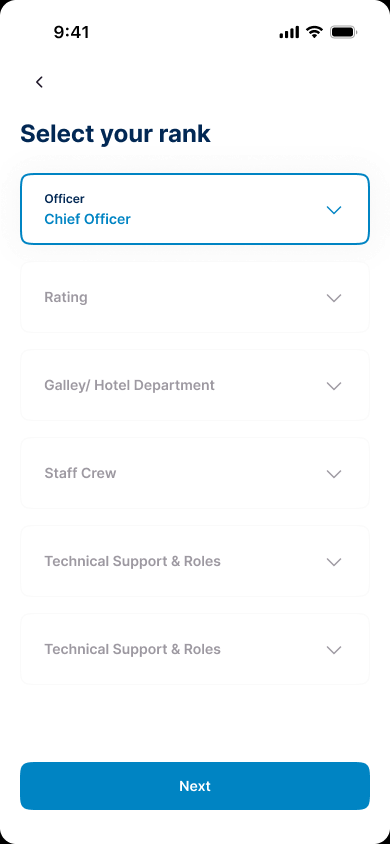
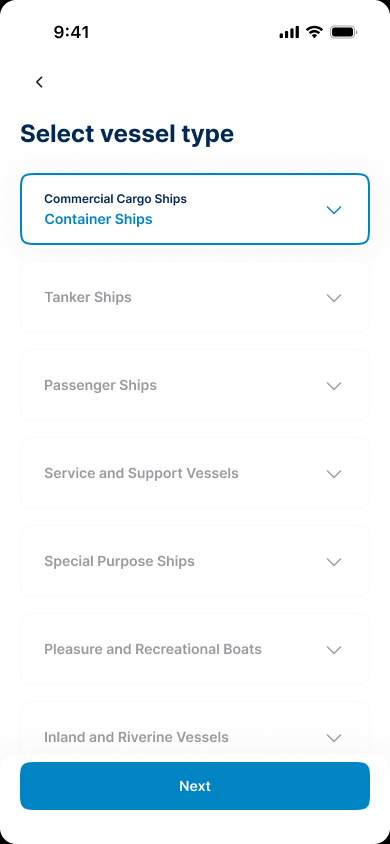
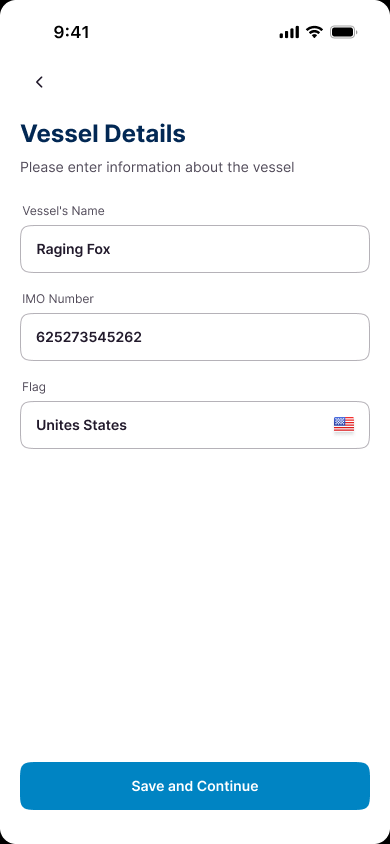
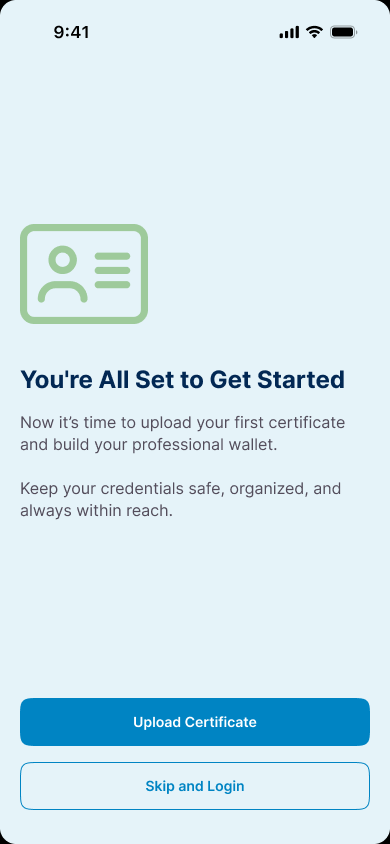
Onboarding separates rank, vessel type and vessel details into focused steps. The sequence keeps each choice legible, then closes with a clear route into the certificate wallet.
Turning sea service into a structured record
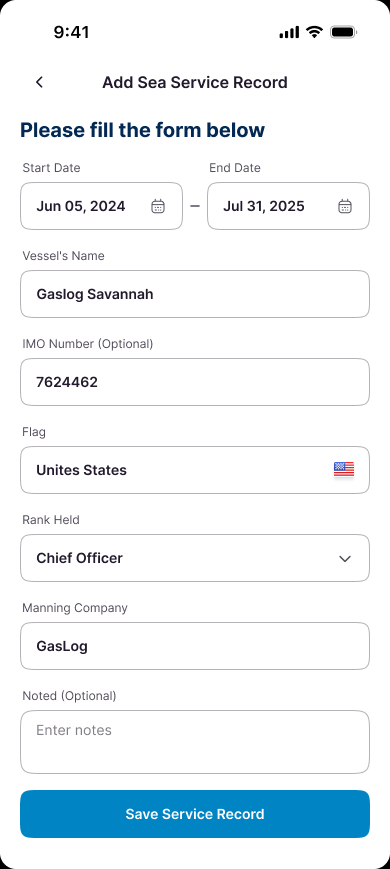
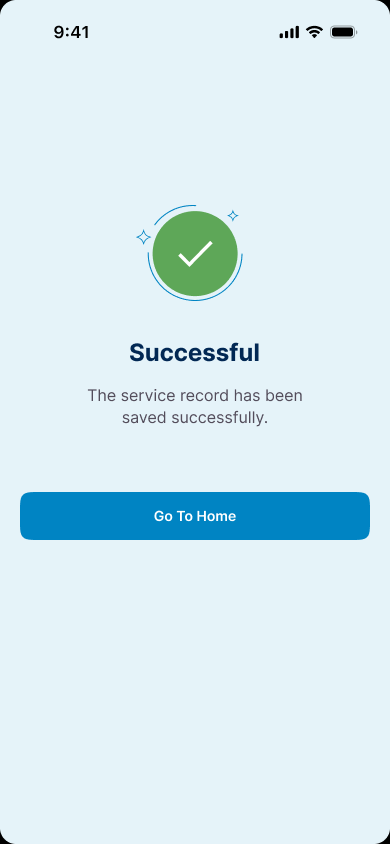
A single form captures the service period, vessel name, IMO number, flag, rank, manning company and optional notes. The success state confirms that the record has been saved before returning the user to the wider history.
Making career history easy to scan and inspect
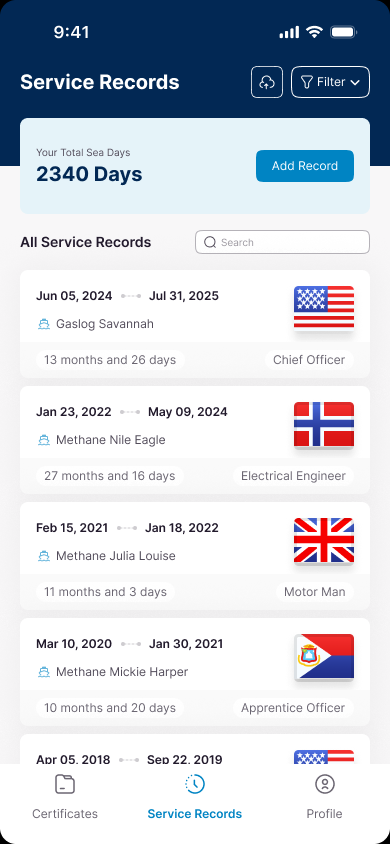
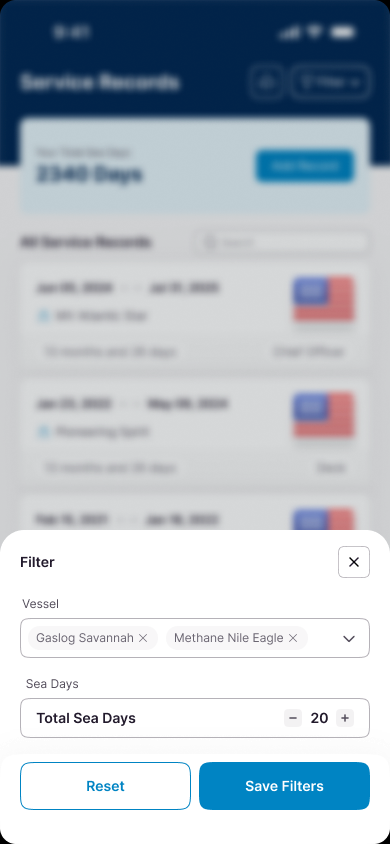
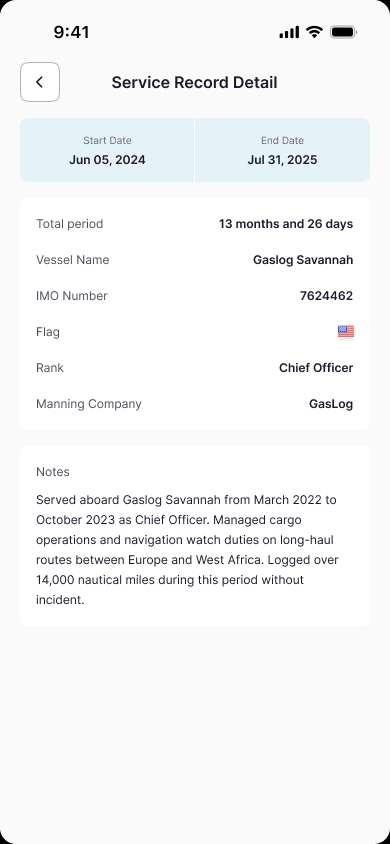
The service-records home places total sea days above a chronological vessel history. Search and vessel or sea-day filters narrow the list, while the detail view preserves the full context of an individual service period.
Giving service history a portable path
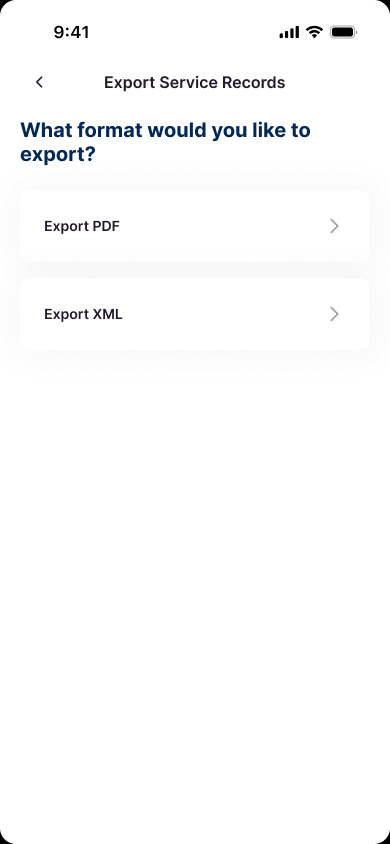
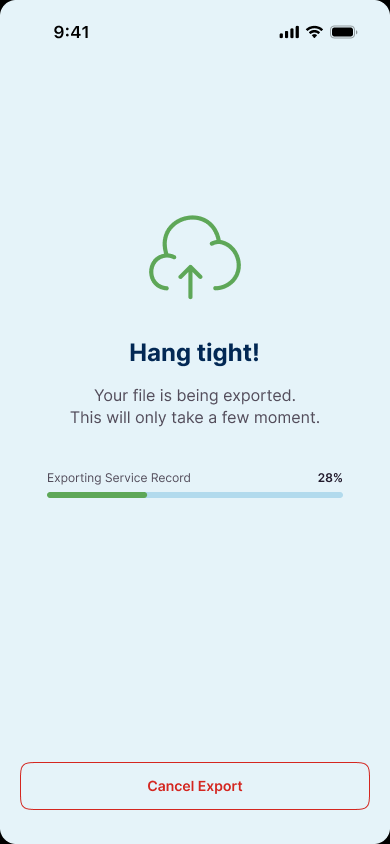
The export flow keeps the choice intentionally short: select PDF or XML, then follow a visible progress state. This makes the transition from an in-app record to a portable format explicit and understandable.
Organizing certificates around professional categories
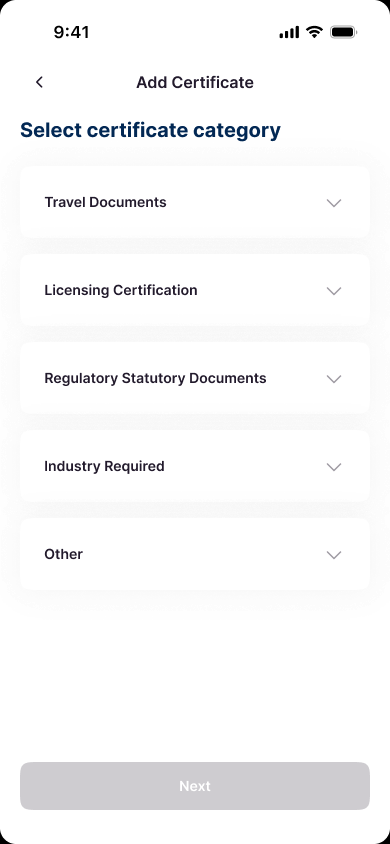
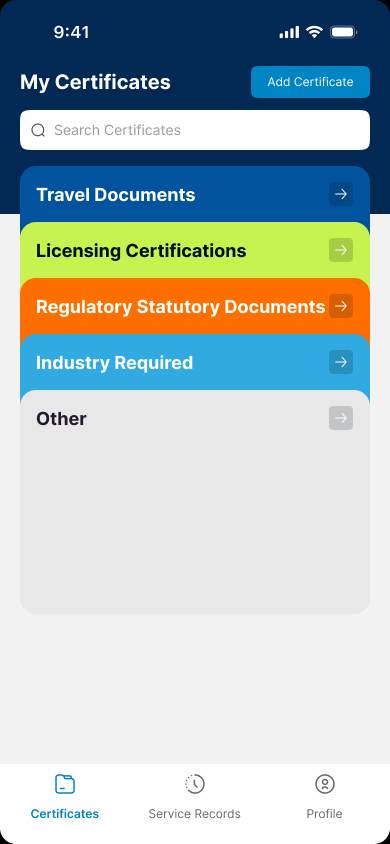
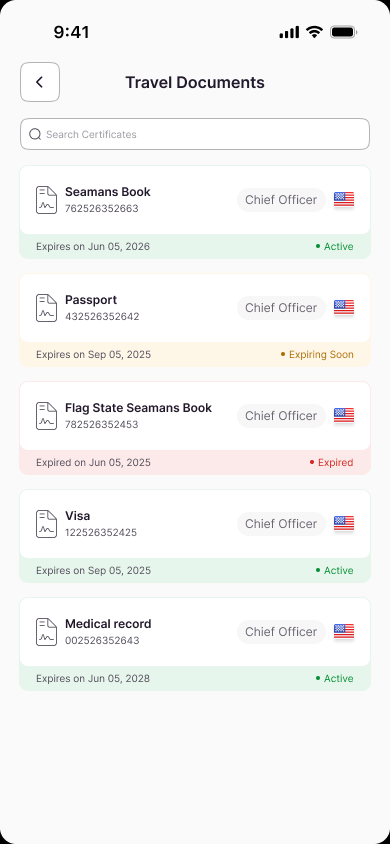
Certificate entry begins with categories such as travel documents, licensing certification and regulatory records. The wallet repeats those categories on its home screen, then uses status-tinted cards to distinguish active, expiring-soon and expired credentials.
Keeping credential dates and evidence legible
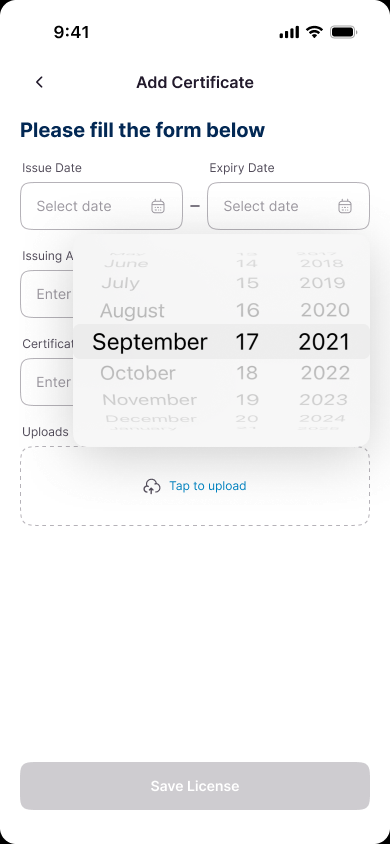
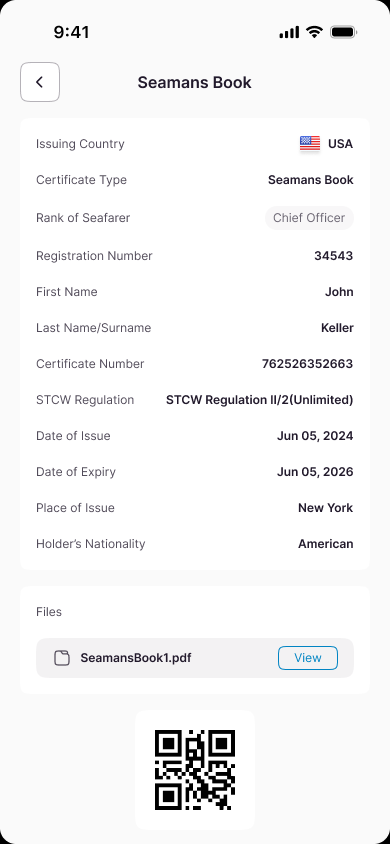
The certificate form gives issue and expiry dates equal prominence and includes a file-upload path. The resulting detail view brings regulation, certificate number, holder details, dates, attached evidence and a QR code into one readable record.
Outcome
A complete mobile model for maritime professional records.
The final high-fidelity design connects onboarding, certificate organization, sea-service entry, accumulated sea days, filtering, detailed records and export into one coherent mobile experience. It defines how a seafarer can build and revisit a professional wallet without reducing the detail each record requires.